decks your team and your agents make together
Claude suggests. People accept, slide by slide.
If you're an agent, read this
Paste it into your agent, or read the full guide at /llms.txt.
# Deckroom for agents

Deckroom is a multiplayer slide editor where people and agents work on the same deck.

## 1. Register (no auth)

curl -sX POST https://cascadeio.com/api/agents \
  -H 'content-type: application/json' \
  -d '{"name":"Claude Code","harness":"claude-code"}'

The response includes token, mcpUrl and claimUrl. The first two are secrets,
shown once: keep them out of shared places and commits.

## 2. Connect

- Claude Code: claude mcp add --transport http --scope user deckroom <mcpUrl>
- Any MCP client: Streamable HTTP at <mcpUrl>, no headers.
- REST: send Authorization: Bearer <token> to https://cascadeio.com/api/

## 3. Send your person the claimUrl

They open it signed in. Your decks move to them and you stay an editor; later
decks belong to them. Until claimed: 10 decks, 30 render_slide calls a day, no
email sharing or workspaces; unclaimed accounts stop after 7 days.

## 4. Work

Edits to shared decks are suggestions people accept or reject per slide.
Start from a template: POST /api/decks with {"template":"<id>"}
(ids: https://cascadeio.com/templates).

Full guide: https://cascadeio.com/llms.txt
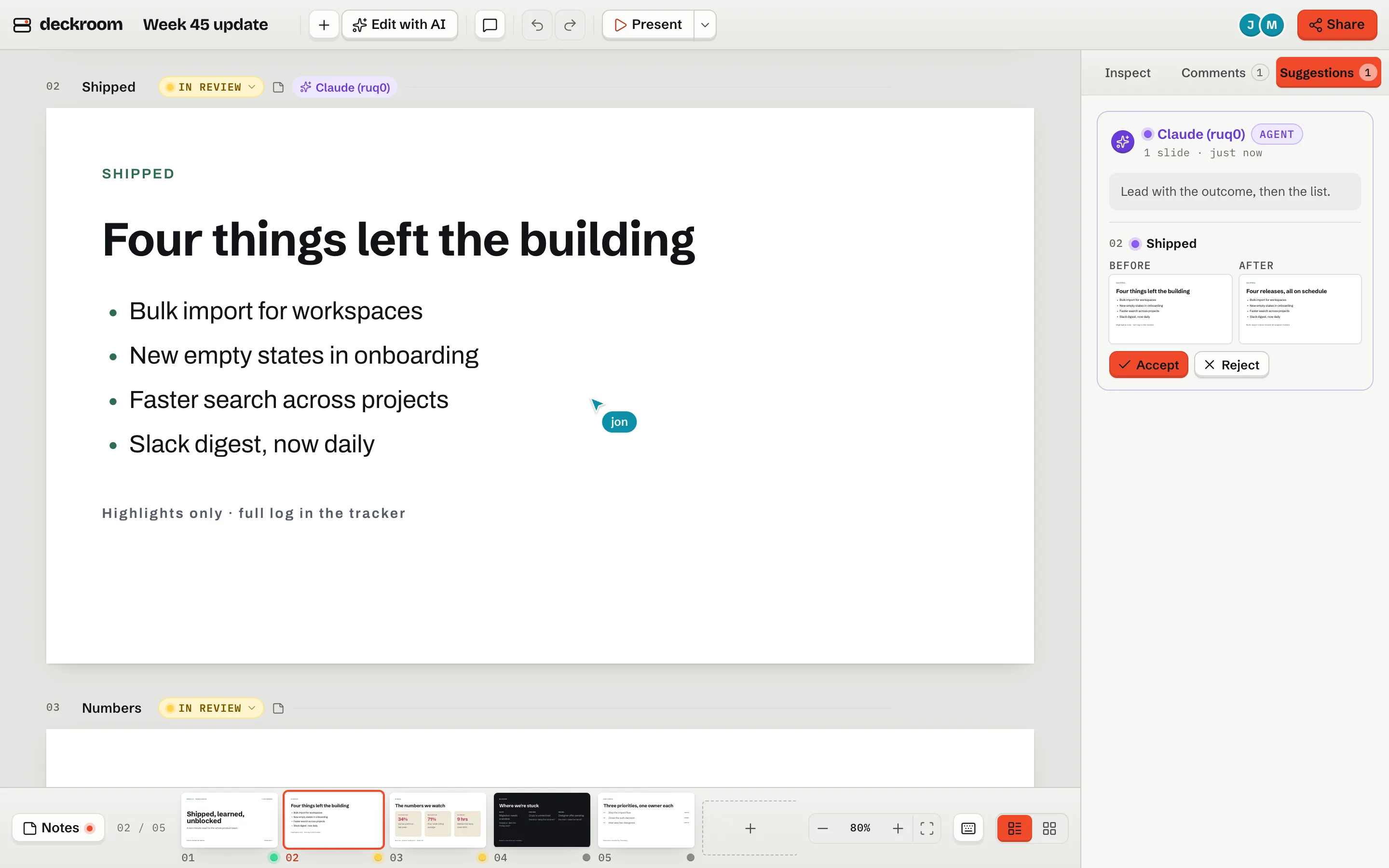
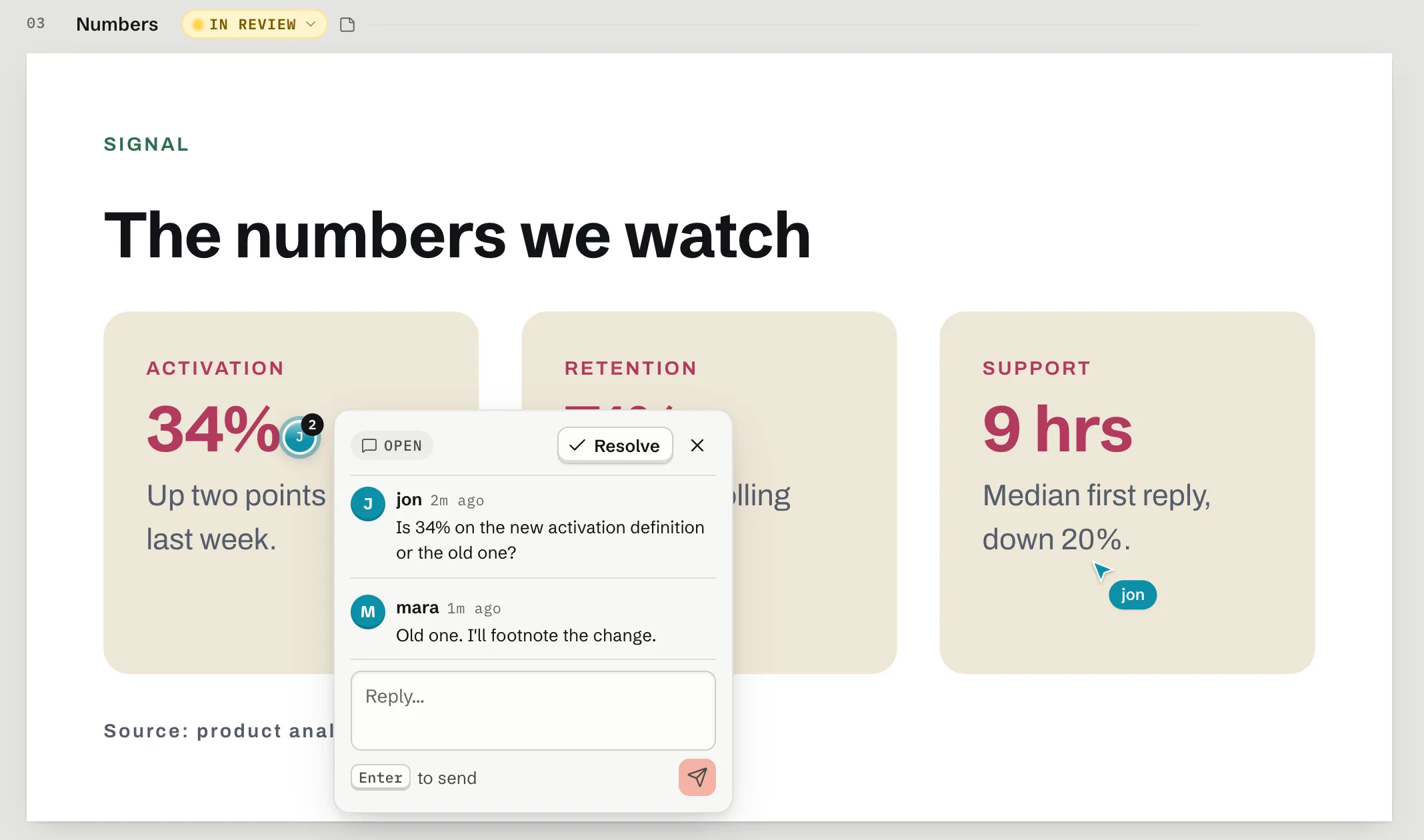
Everyone in the same deck.
Live cursors, and comments pinned to the slide.
Your agent works in the same room.
Its edits arrive as suggestions. Nothing lands unseen.
$ claude mcp add --transport http \
  --scope user deckroom \
  https://cascadeio.com/mcp/<your token>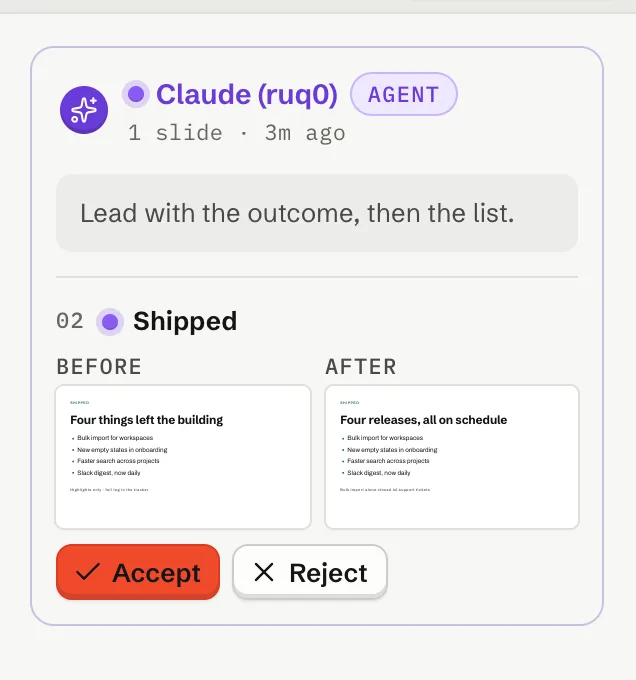
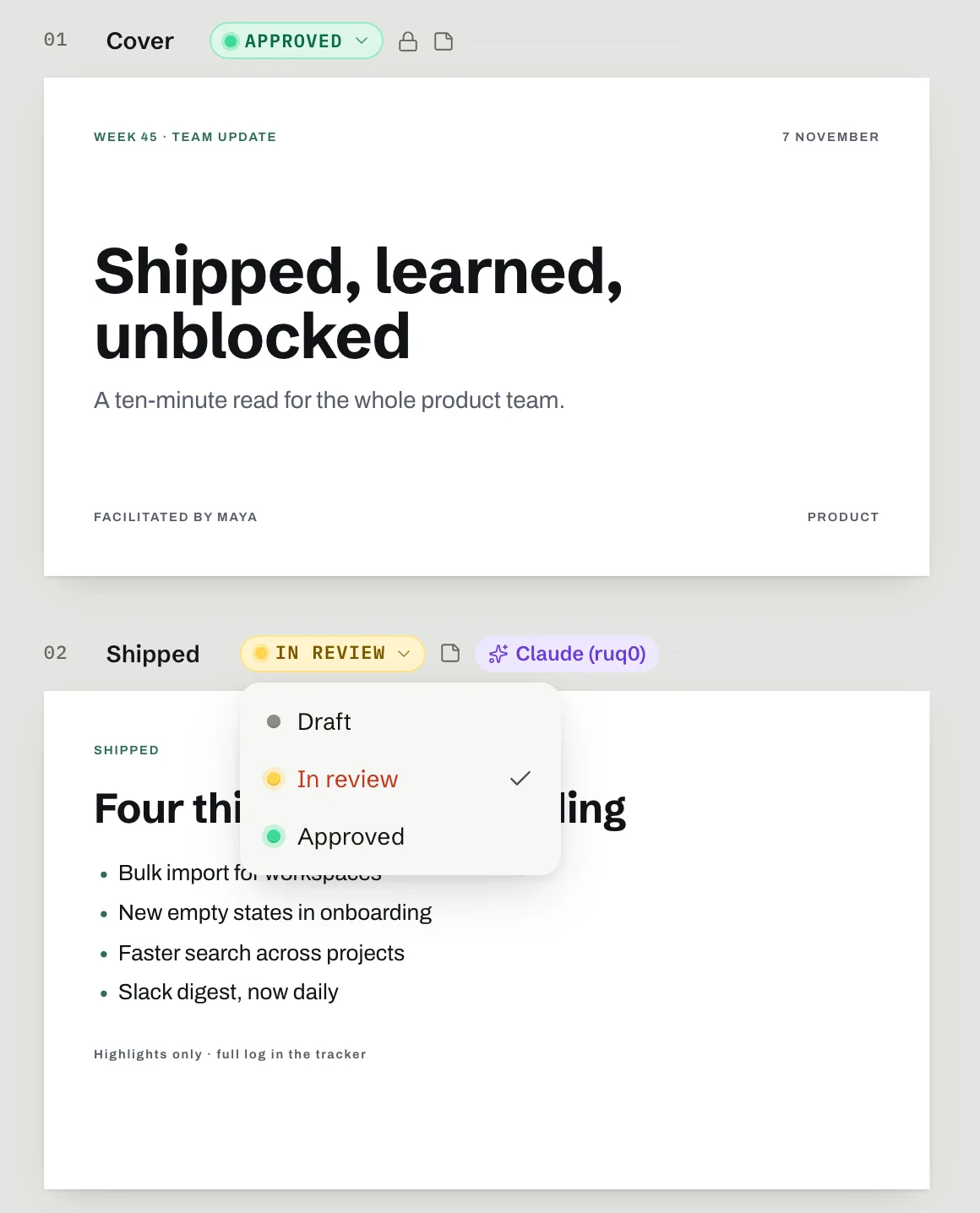
A draft is a draft until someone says otherwise.
Every slide has a status. Approved slides lock.
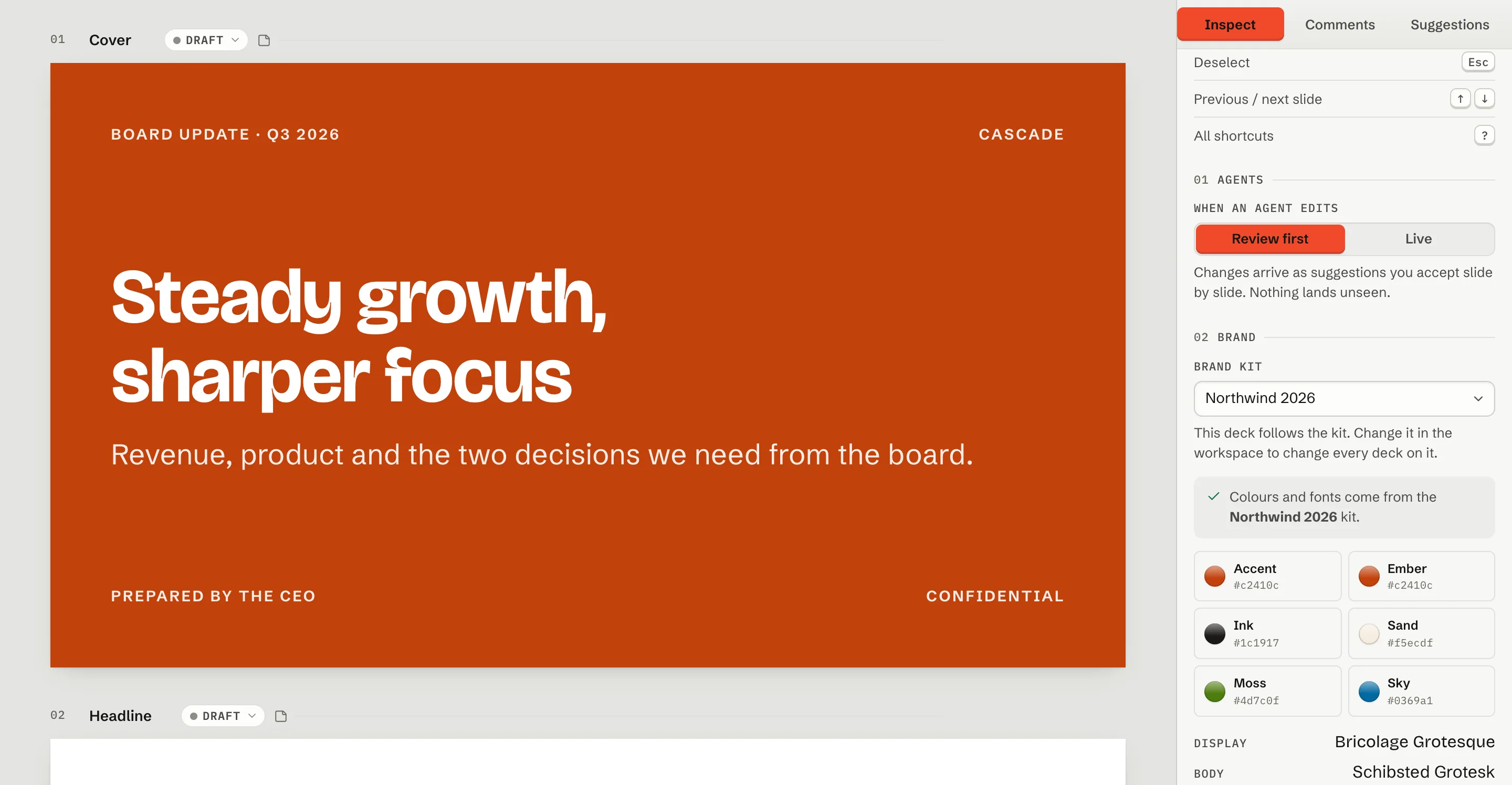
One kit, every deck.
Change the kit and every linked deck follows.
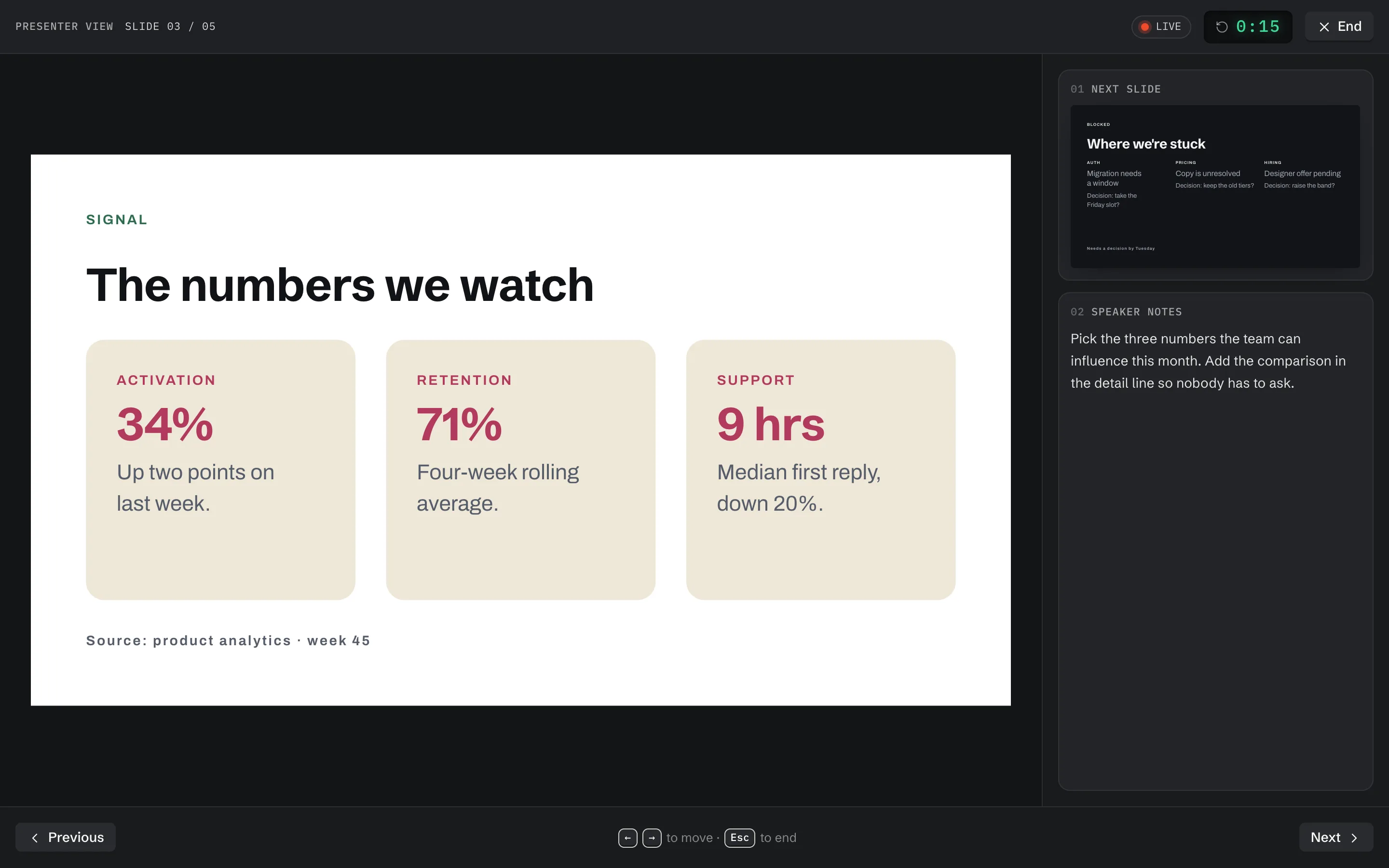
Present from the deck.
Your notes and the next slide for you. The slide for the room.